
Viewing as in

Quick start

Add Hockey Liga to your home screen

Keep fixtures, results and the league table one tap away. Follow the steps for your phone below.

One tap away

Adding a shortcut means you can jump straight back to Hockey Liga without typing the address again. Use the browser you normally use on your phone.

iPhone & iPad

Safari
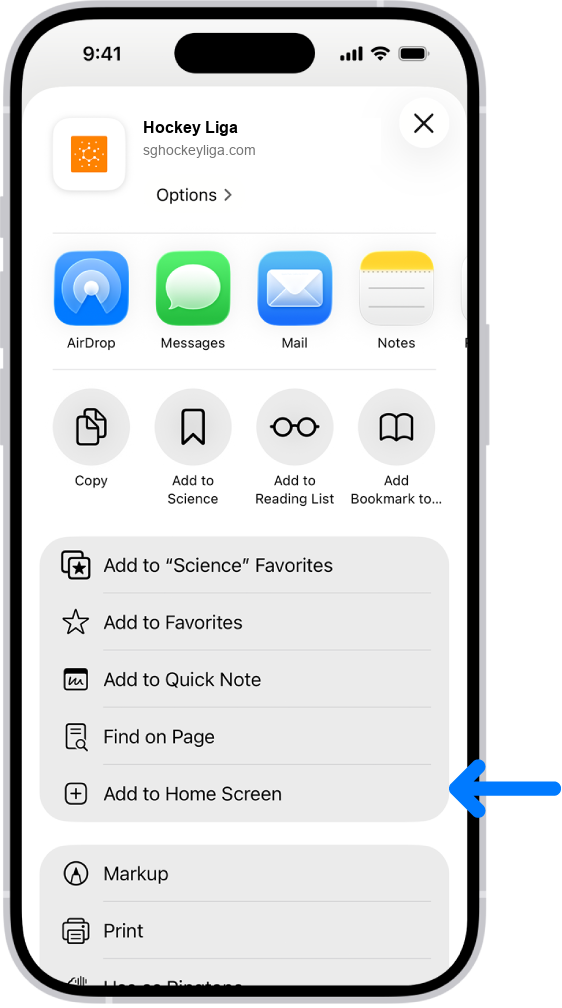
01
Safari Share menu with Add to Home Screen highlighted
Edited reference · Apple Support
  1. 01Open this page in Safari

    Visit Hockey Liga in Safari on your iPhone or iPad.

  2. 02Tap Share

    Tap the Share button in Safari’s toolbar.

  3. 03Choose Add to Home Screen

    Scroll the share sheet if needed, tap Add to Home Screen, then tap Add to finish.
Android phones

Chrome

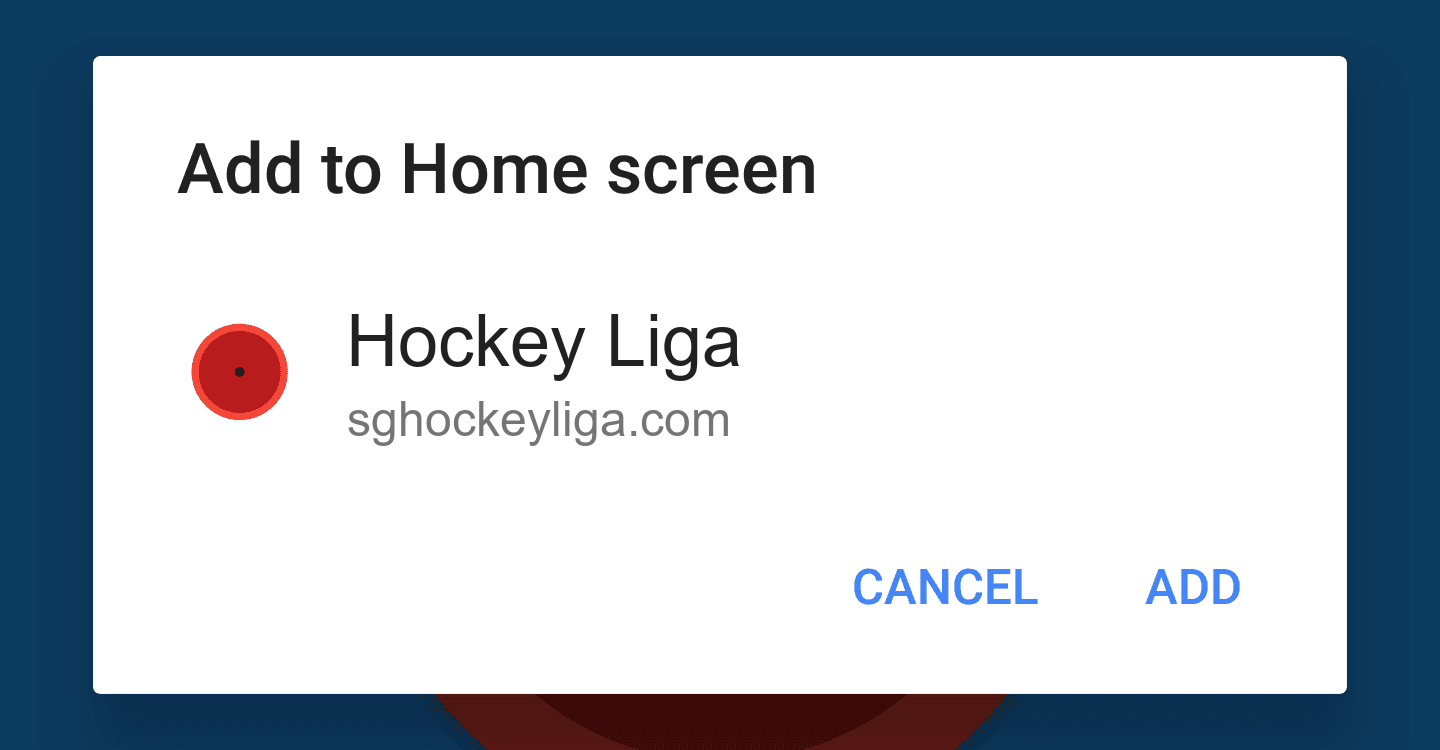
02
Chrome Add to Home screen dialog
Edited reference · Chrome for Developers
  1. 01Open this page in Chrome

    Visit Hockey Liga in Chrome on your Android phone.

  2. 02Open the three-dot menu

    Tap the three dots in the top-right corner of Chrome.

  3. 03Tap Add to Home screen or Install app

    The wording varies by device and Chrome version. Confirm the name, then tap Add or Install.

After adding it

Launch it like an app

Look for the Hockey Liga icon on your home screen. Tapping it opens the site directly, so the latest fixtures and results are always close at hand.

Back to Hockey Liga